One block. The right content on every post.
The problem: a dessert post and a dinner post shouldn’t show the same opt-in. Making a version per category means editing every post, and changing one means doing it all again.
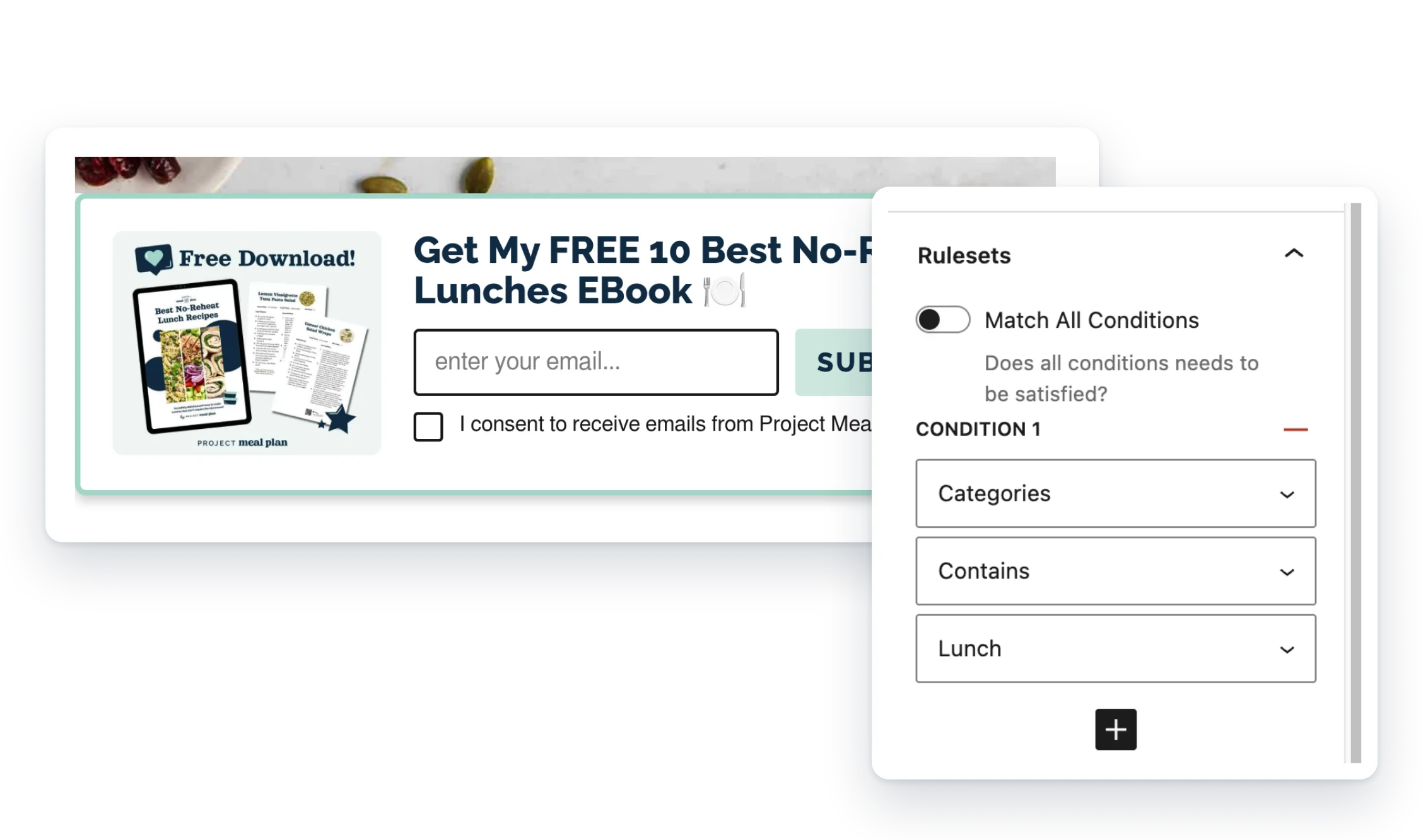
Write each version once, give it rules like “posts in Desserts,” and Dynamic Connector Block shows the best match on each post.
- Rules you set. Show content by category, checked in the priority order you choose.
- A default for the rest. Posts with no match still get something useful.
- Change it in one place. Edit a version once and every post that uses it updates.
What Pro adds
Feature
Free
Pro
One block, different content per post
✓
✓
Category rules in priority order
✓
✓
A default for everything else
✓
✓
Tags and custom taxonomies
—
✓
Exclude a term (Not Contains)
—
✓
Rules on the post title
—
✓
Match all conditions
—
✓
Groups, for several blocks in one post
—
✓
Email help from real people (Pro, 1 site)
—
✓
Screenshots
FAQ
Isn’t this the same as a synced pattern (reusable block)?
Not quite. A synced pattern shows the same thing everywhere. This block picks different content per post based on your rules.
Will it match my site’s styles?
Yes. The block doesn’t load any front-end styles of its own, so your content renders the way those blocks normally do on your site.
Does it need other plugins?
No. You can use blocks from other plugins inside your Conditional Content, but nothing else is required.
Does it cache anything?
Yes. Once a post’s match is worked out, it’s remembered for up to 6 hours. That cache is cleared automatically whenever any post or Conditional Content item is saved or deleted, so edits show up right away.
Write a Review
You must log in to submit a review.