
Lists that look designed.
The problem: the core List block gives you plain bullets and numbers, and styling them means custom CSS for every list.
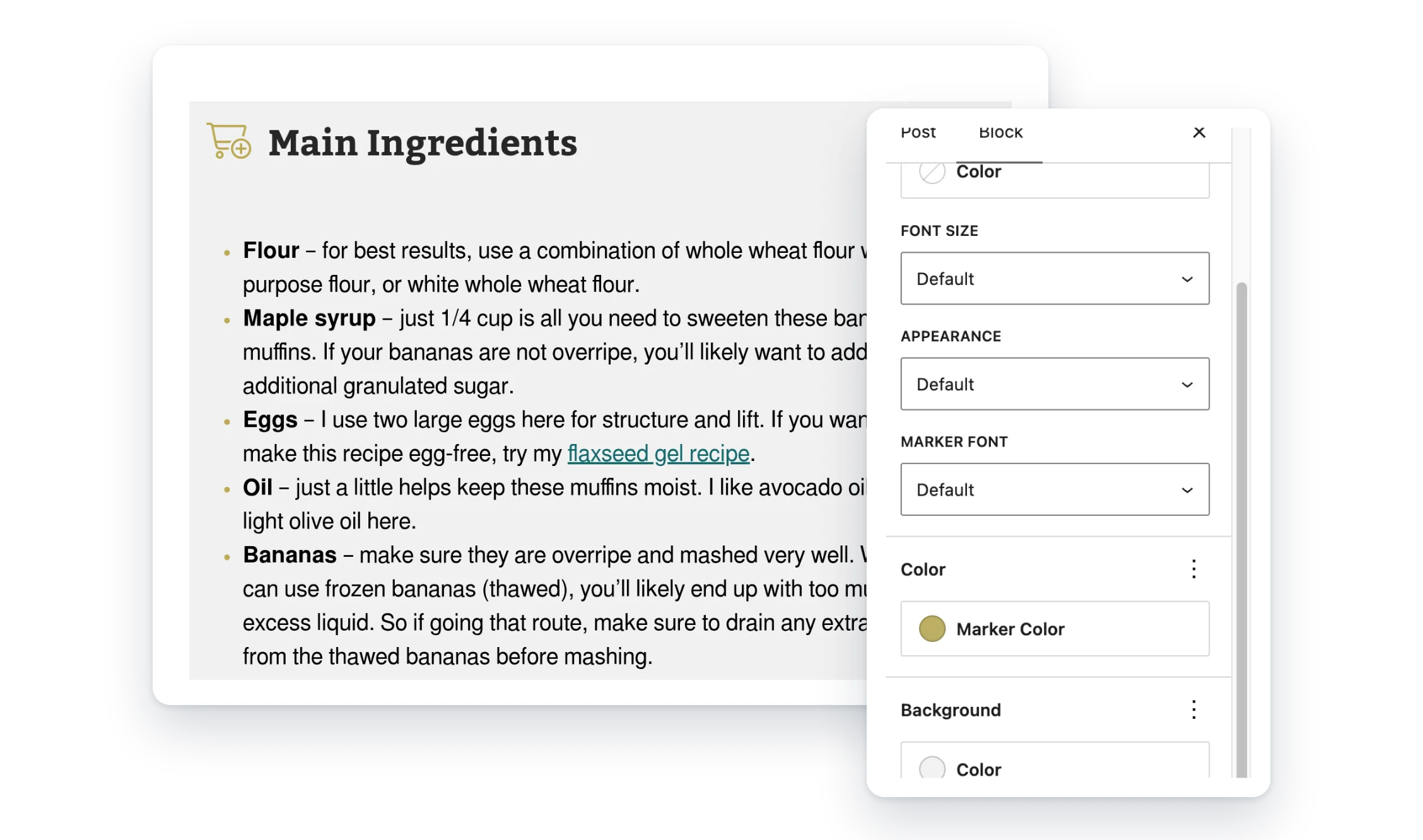
Advanced List Extension adds styling controls to the List block, from item spacing and marker colors to custom icons and circled numbers.
- Spacing and color. Space out items and color the markers.
- Custom markers. Icons, text or emoji in place of bullets.
- Leaving Feast? Convert your Feast list styles in one pass.
What Pro adds
Feature
Free
Pro
Space between items
✓
✓
Marker color
✓
✓
Convert Feast list styles
✓
✓
Icon bullets
—
✓
Text and emoji markers
—
✓
Circled numbers
—
✓
Keeps start number, reverse order and number style
—
✓
Email help from real people (Pro, 1 site)
—
✓
Screenshots
FAQ
Can I style each list item differently?
No. The settings apply to the whole List block. To style items differently, split them into separate List blocks.
Why don’t I see Marker Type on my numbered list?
Marker Type is for bulleted lists only. Numbered lists get Marker Background in the Color panel instead.
Where’s the Feast migration page?
It’s at Settings → Advanced List Migration, and only while the Feast plugin is active. If you’ve already turned Feast off, turn it back on to run the conversion.
Write a Review
You must log in to submit a review.