Reuse a block design without retyping it.
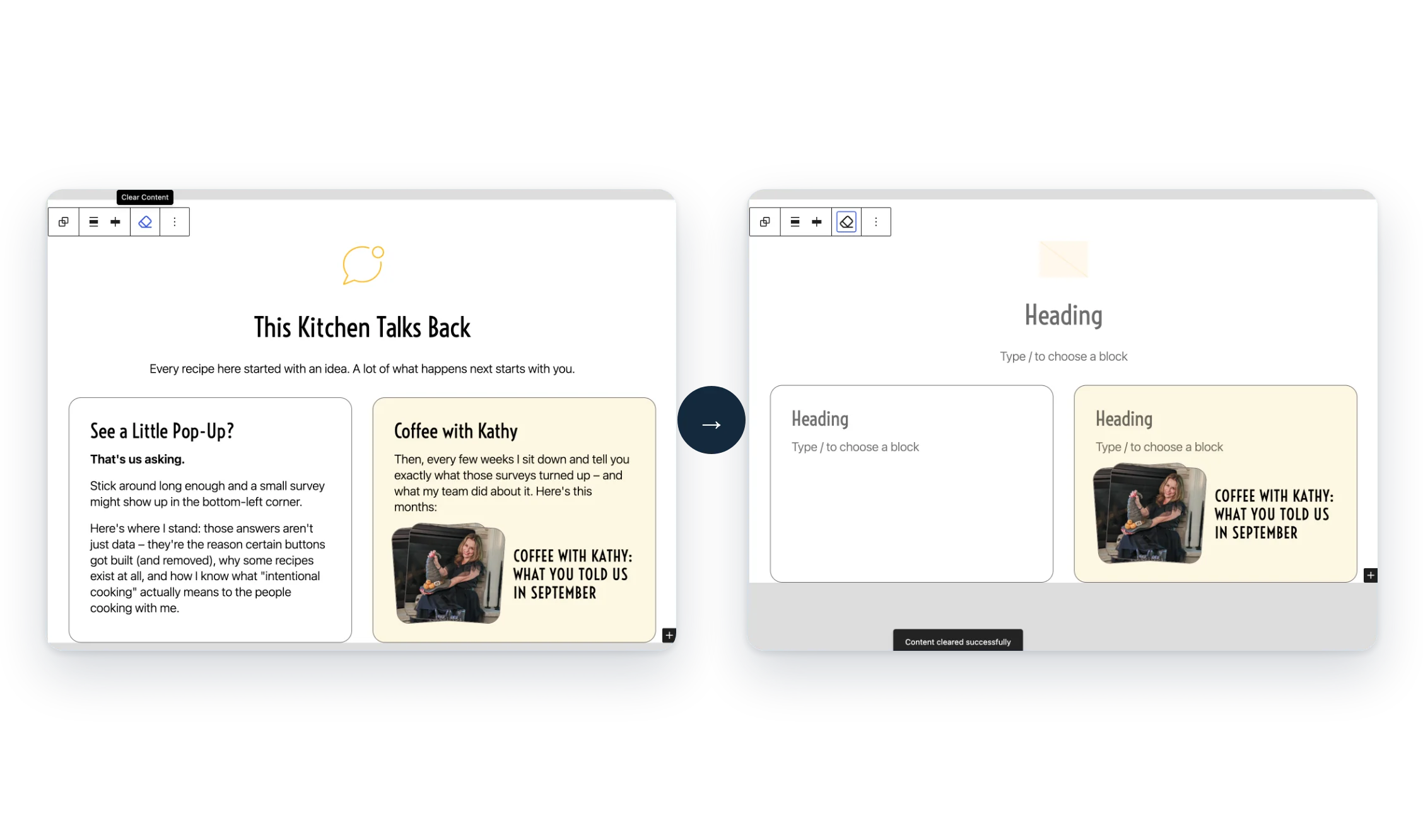
The problem: copying a styled section to reuse it means deleting every line of old text and swapping every image by hand.
Clear Content Button adds a button to the block toolbar. One click empties the text, links and images and keeps the layout.
- One click. Right in the block toolbar.
- The layout stays. Colors, spacing and structure are kept.
- Core blocks. Works on every core WordPress block.
Free, all of it
Every feature is free. There’s no Pro version.
Screenshots
FAQ
Why don’t I see the button on some blocks?
The button is only added to core WordPress blocks. Blocks from other plugins don’t get it. If you select a core block such as a Group that contains third-party blocks, only the core blocks inside it are cleared.
Write a Review
You must log in to submit a review.