
Move any block to a better spot on the page.
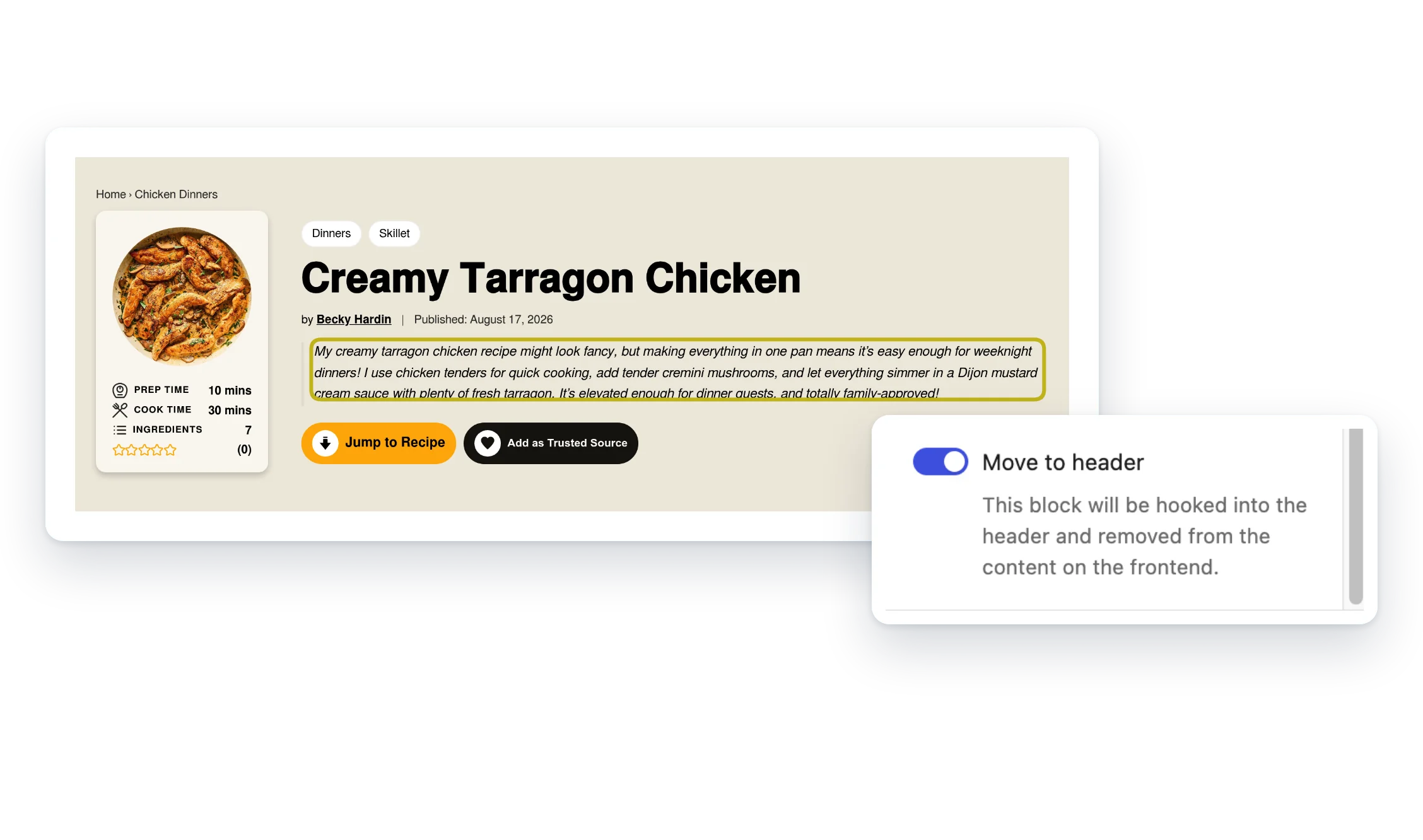
The problem: the best part of a post often sits too far down, like a recipe summary readers want up top. A post can’t put content into your header on its own.
Flag a block in your post, add the Move to Header block to your template once, and the plugin moves it there on the front end.
- Flag any block. One toggle in the block sidebar.
- Set it once. Place the Move to Header block in your template.
- Recipe-ready. With WP Recipe Maker, it shows the recipe summary when nothing is flagged.
Included with membership
Members only. It comes with the Small Plugins membership, along with every other plugin.
Screenshots
FAQ
Nothing is flagged on a post. What does the block show?
If WP Recipe Maker is active and the post has a recipe, the block shows that recipe’s summary. Otherwise it shows nothing.
Does turning on “Move to header” change how the block looks in the editor?
No. It only adds the move-to-header class. The block still edits normally in place.
Write a Review
You must log in to submit a review.